

How Local Service Businesses Can Use Social Media to Build Trust
In today’s digital world, trust is everything—especially for local service businesses. Whether you’re a plumber in Austin or a dog groomer in Portland, people want to know that you’re not just capable but also credible. The problem? Most real-world businesses aren’t sure how to bridge that gap online. That’s where social media comes in. Used right, it’s one of the most effective tools to build genuine trust with local customers before they ever pick up the phone or step into your shop. At EVpro Marketing, we specialize exclusively in helping local service businesses grow through smart, practical digital marketing. So we’re breaking down how you can use social media not just to get noticed—but to gain trust that drives long-term business. Why Trust Matters So Much for Local Service Businesses Local services are personal. Whether you’re entering someone’s home or caring for something they value, people need to feel secure choosing you. That trust isn’t built overnight—and it can’t be faked. Here’s why trust is such a big deal: People rely heavily on reviews and social proof before hiring a local service provider. Local communities talk. A good (or bad) reputation spreads fast. You’re competing with big platforms like Angie’s List, Thumbtack, and Yelp that already have built-in credibility. Trust is your currency. And social media is one of the fastest ways to earn it—if done with intention. How Social Media Helps Build Local Trust Social media isn’t just for influencers or big brands. For local service businesses, it’s a way to become familiar, relatable, and reliable to people in your area. Here are the key ways it helps: Shows you’re real – Posting regularly with authentic content reminds people you’re local and active. Puts a face to the name – People trust people, not logos. Social lets you show the humans behind the business. Allows two-way communication – You can respond to questions, concerns, and comments in real-time. Boosts your reputation – Reviews, testimonials, and shared content reinforce your credibility. Demonstrates expertise – By sharing tips and advice, you show that you know your stuff. Let’s dig deeper into how to make that happen, step by step. Set Up Your Social Presence with Trust in Mind Before you even start posting, make sure your social media profiles are set up to build trust from the start. Complete and Consistent Profiles Think of your profile like your storefront. Would you walk into a business with a half-finished sign, outdated hours, and no one to be found inside? Make sure your: Profile photo includes your logo or a professional, inviting image Bio clearly states what you do and who you serve Contact information is up-to-date and matches your Google Business Profile Business hours are accurate Branding is consistent across platforms (Facebook, Instagram, LinkedIn, etc.) Choose the Right Platforms You don’t need to be everywhere. You just need to be where your local customers spend time. For most local services, these platforms make the biggest impact: Facebook – Still the king for local communities, reviews, and event promotion. Instagram – Great for visual businesses like landscapers, cleaners, and beauty services. Nextdoor – Hyper-local and focused on neighborhood services. LinkedIn – Useful if you work B2B or want to connect with other professionals in your area. Post Content That Signals Trust Just being active on social media isn’t enough. You need to post the kind of content that builds credibility and makes people feel good about reaching out. Here are the types of posts that build trust fast: 1. Customer Testimonials & Reviews Social proof is powerful. Make it easy for potential customers to see what others are saying: Share screenshots of Google or Facebook reviews Post a short quote from a happy customer and tag them (if they agree!) Create a highlight reel of testimonials in your Instagram Stories 2. Before-and-After Photos Visual proof of your work builds confidence, especially in service-based fields. Show transformations (e.g., a cleaned carpet, a fixed roof, a remodeled kitchen) Explain what was done and how it helped the customer Use captions that educate and inform 3. “Meet the Team” Posts People want to know who will be coming to their home or handling their needs. Post casual headshots with fun bios Share employee spotlights or work anniversaries Tell personal stories to show the human side of your business 4. Behind-the-Scenes Moments Pull back the curtain to make your business feel approachable: Show your office, van setup, or tools of the trade Capture a quick video of a job in progress (with permission) Highlight your process and professionalism 5. Educational Tips & FAQs Position your business as a go-to resource: Answer common questions in short videos or captions Share seasonal advice (e.g., “How to prepare your HVAC for summer”) Bust myths or correct misconceptions about your service Engage With Your Community Posting is only half the job. Trust grows through interaction. Respond to Comments Quickly Acknowledging someone’s question or compliment goes a long way. It shows you’re present and care about your reputation. Join Local Groups On Facebook and Nextdoor, community groups are goldmines for visibility and trust-building: Offer helpful advice (not just promotions) Answer questions about services in your field Build name recognition by being helpful and respectful Highlight Local Partners and Events Being a visible part of your community shows you’re invested in more than just sales. Shout out other small businesses you work with Promote local events you’re attending or donating to Create joint giveaways with nearby brands Use Trust Signals in Visual Branding How your business looks online plays a huge role in whether people perceive you as trustworthy. Use High-Quality Photos and Design Blurry or sloppy posts can make even a great business seem amateurish. Invest time (or help) in: Clean, well-lit photos of your jobs, team, and workspace Professional social media templates Mobile-friendly videos, even shot on a phone At EVpro Marketing, we often help local service providers create scroll-stopping graphics and content that match their brand personality. Add Trust Badges
How to Combine Google Ads with Local SEO for Better ROI
If you’re a local service business trying to grow, you’re probably juggling a lot—calls, scheduling, making sure people even find you online in the first place. Maybe you’ve heard about Google Ads. Maybe you’ve been told to “make sure your SEO is solid.” But what does that even mean, and how can you use both together to actually grow your business? Good news: You don’t have to choose between Google Ads and local SEO. When you combine them the right way, they amplify each other—and your return on investment (ROI) skyrockets. At EVpro Marketing, we specialize in helping local businesses like yours in and around Austin do exactly this. This guide will break it down step-by-step in simple terms, so you can move forward with confidence. Why Google Ads and Local SEO Work Better Together Let’s clear this up first: Google Ads and local SEO are not either/or strategies—they’re both powerful tools on their own, but together, they become far more effective. Think of It Like a Tag Team Local SEO builds your long-term presence in local search results. It helps people find your business when they search for services on Google Maps or in the local 3-pack (those top search results with reviews and hours). Google Ads works fast. You can appear at the top of search results today—even before your SEO efforts fully kick in. When both are working together, you dominate both paid and organic search real estate. That builds brand trust and brings in more high-quality leads. Benefits of Using Google Ads + Local SEO Together Here’s what we usually see when local businesses combine these two strategies: Increased visibility: Show up in both paid ads and organic listings. Faster ROI: Google Ads brings quick traffic while SEO builds sustainable presence. Higher conversion rates: People trust businesses they see repeatedly across searches. Smarter insights: Ads data helps refine your SEO and vice versa. Local dominance: Reach more customers near your service area. Now let’s walk through how to build a strategy that uses both—blended, not separate. Step-by-Step: How to Combine Google Ads with Local SEO 1. Start With Local SEO Basics Before putting money behind ads, make sure your local SEO foundation is strong. That way, you’re not wasting money sending people to a poorly-optimized profile or site. Local SEO checklist to start with: Claim and optimize your Google Business Profile (GBP) Use accurate NAP info (Name, Address, Phone number) everywhere online Collect and respond to Google reviews Add local keywords naturally to your website (like “Austin HVAC repair”) Use location pages if you serve multiple cities or neighborhoods Make sure your site loads fast and works well on mobile Questions to ask yourself: When someone searches “[your service] near me,” do you show up? Is your Google Business Profile complete and updated? If not, fix those things first. If you do, you’re ready to supercharge your results with Google Ads. 2. Set Up Location-Based Google Ad Campaigns Now that your SEO foundation is solid, it’s time to run ads that target your specific service area. Focus on: Search Ads: These show up when someone searches for keywords like “plumber in South Austin.” Local Service Ads (LSAs): These are pay-per-lead ads and show your business with a “Google Guaranteed” badge. Geo-targeting: Set your ad location settings to your city, zip codes, or service radius. Why this matters: Running broad, national ads doesn’t work for local services. You don’t want clicks from people outside your area. Tip: In your ad copy, include local references (e.g., “Serving East Austin since 2015”). 3. Use Keyword Data to Inform Both Strategies Here’s where the magic happens—use the data from your Google Ads to improve your SEO. What to look at: Which keywords are driving the most clicks? Which search terms are converting into calls or leads? Which locations are responding best? Once you see what’s working from your ads, apply that to your site and local SEO strategy: Update your service pages with winning keywords Add content focused on neighborhoods or zip codes that convert well Optimize your Google Business Profile with top-performing phrases And don’t forget—SEO data helps your ads too. If you know which service pages convert well, you can link to them in your ads. 4. Align Your Landing Pages with Local Intent Here’s a common mistake: businesses run Google Ads to their homepage. But the homepage is rarely the best place to send potential customers. Instead, create dedicated landing pages for each service or location: Service Suggested Landing Page URL HVAC in Austin yoursite.com/austin-hvac Landscaping in Round Rock yoursite.com/landscaping-round-rock Key elements of a great landing page: Clear headline with location (“Reliable HVAC in South Austin”) Service benefits and what makes you local Trust signals (Google reviews, badges, awards) Easy contact options (tap-to-call, forms, maps) When both your ad and SEO efforts point to pages like these, conversion rates increase significantly. 5. Monitor, Test, and Adjust Consistently This isn’t a “set it and forget it” deal. Combining Google Ads and SEO takes some upkeep—but the payoff is worth it. Tools you can use: Google Ads dashboard: Monitor keywords, CTR, conversions Google Analytics: See how local traffic is behaving on your site Google Search Console: Measure organic keyword growth Google Business Profile insights: Track calls, requests, views Things to test and optimize regularly: Ad copy with different local focus Call-to-actions on landing pages Local keywords on your website Which neighborhoods, zip codes, or cities convert best At EVpro Marketing, monitoring is part of what we do continuously for clients—refining both ad campaigns and SEO efforts to maximize ROI over time. FAQs: Google Ads and Local SEO Can I use Google Ads without doing SEO? Yes, but you’ll pay for every lead—and you’ll stop appearing the moment you stop running ads. SEO builds a long-term presence that keeps working whether you’re spending money or not. How long does SEO take to kick in? It usually takes 3–6 months to start seeing solid SEO results, depending on competition
The Role of Quality Score in Your Ad Performance
If you’re running Google Ads for your local service business and frustrated by inconsistent results, you’re not alone. High costs, low clicks, and ads that just don’t deliver — it’s enough to make anyone throw in the towel. But before you do, there’s one essential metric you need to understand: Quality Score. At EVpro Marketing, a local-focused agency based in Austin, we’ve helped countless service businesses cut ad costs and boost conversions by getting smarter with their Quality Score. In this guide, we’ll break down what it is, why it matters, and—most importantly—how you can improve it without needing to be a Google Ads expert. What is Google Ads Quality Score? Let’s start simple: Quality Score is a rating Google gives to your keywords. It’s scored on a scale from 1 to 10, with 10 being excellent. This score is Google’s way of answering the question: “How relevant and helpful is this ad for the person searching?” It’s based on three main factors: Expected Click-Through Rate (CTR) – How likely someone is to click your ad Ad Relevance – How closely your ad matches the intent behind the user’s search Landing Page Experience – How relevant and useful your website is to the searcher Google combines these factors into the magic number you see in your account. Higher scores mean better performance and lower costs. Why Quality Score Matters for Your Ad Performance Think of Quality Score as your ad’s credit rating. The better it is, the more trust you earn from Google—and the more benefits you unlock. Here’s what a high Quality Score can do: Lower Cost Per Click (CPC): You can pay less for each ad click. Higher Ad Positions: Your ads can show up higher on the page, even if you’re not the highest bidder. Better ROI: Since you’re getting better placements for less money, your return on ad spend improves. Improved Ad Eligibility: High scores can help your ads run more often and in better positions. In short: a good Quality Score makes your budget work smarter, not harder. How Quality Score Is Calculated Google doesn’t reveal its full algorithm (wishful thinking), but here’s what we do know about the three key components: 1. Expected CTR (Click-Through Rate) Google uses historical data to predict how likely someone is to click on your ad. Improving CTR: Use clear, compelling headlines Include keywords in your ad copy Highlight benefits and unique offers Add sitelinks or callouts for extras (e.g., free estimates, 24/7 service) 2. Ad Relevance This measures how closely your ad copy matches the searcher’s intent. Boost Ad Relevance by: Organizing campaigns into tight ad groups Writing custom ads for specific services or keywords Avoiding generic messaging 3. Landing Page Experience It’s not just about clicks—Google cares about where those clicks lead. Improve landing pages by: Matching the landing page title and content to your ad and keyword Ensuring fast load time and mobile responsiveness Making it easy to find key info (phone number, contact form, service list) Here’s a simple breakdown: Quality Score Factor Signals Google Considers Tips to Improve Expected CTR Historical click data, CTR predictions Use strong CTAs, relevant headlines Ad Relevance Keyword and ad copy match Write specific, focused ads Landing Page Experience Page speed, keyword match, ease of use Use dedicated landing pages, mobile optimization Common Misconceptions About Quality Score Let’s bust a few myths. “It’s all about bidding more.” Nope. Google rewards relevance, not just who throws the most money at them. You can out-rank competitors with lower bids if your Quality Score is higher. “Once it’s set, I can’t change it.” False. Quality Score updates over time based on performance. That means you can improve it with the right tweaks and tests. “My ads look fine—I shouldn’t worry.” An okay ad might run, but a great ad performs and costs less. If you’re not optimizing for Quality Score, you’re leaving money and visibility on the table. How to Check Your Quality Score If you’re using Google Ads regularly, checking your score is easy: Open your account. Go to the Keywords tab. Click the Columns button and select Modify Columns. Under Quality Score, check the boxes for: Quality Score Landing Page Experience Ad Relevance Expected CTR Once applied, you’ll see a 1–10 score next to each keyword, along with ratings like “Average,” “Above Average,” or “Below Average.” Step-by-Step: How to Improve Your Quality Score Improving scores takes time and testing. But it’s worth it. Here’s how to get started: 1. Audit Your Campaigns Are your ad groups too broad? Do you have dozens of keywords in a single group? Is your landing page general instead of tailored? If any of these are true, it’s time to simplify and segment. 2. Create Themed Ad Groups Group your keywords by specific services or questions a customer might ask. For example: “Emergency plumber Austin” vs. “Toilet installation cost” “AC repair near me” vs. “HVAC maintenance plan” Each group should focus on one intent or offer. 3. Write Relevant, Eye-Catching Ads Let’s say you’re running a campaign for HVAC tune-ups in Austin. Here’s a strong version of the ad: Title: Affordable HVAC Tune-Up — Austin’s Trusted Experts Description: Get peak performance before summer hits. Same-day service available. Book your service online now. It repeats the keyword, grabs attention, and gives a clear call-to-action. 4. Optimize Landing Pages Make sure your landing page: Talks about the same offer as the ad Uses the same keywords Loads quickly and looks great on smartphones Has a clear place to take action: call now, book online, or request a quote 5. Monitor and Adjust Once changes are live, give Google some time to reevaluate your ads. Monitor: CTRs for each keyword Quality Score shifts week over week Conversion rates Don’t get discouraged by slow results—consistency wins here. The Local Business Advantage Here’s the good news: local service providers like HVAC pros, roofers, electricians, and landscapers often have less competition than national brands—especially when campaigns are geographically focused. That means your
Google Ads Campaign Setup for Home Services and Contractors
Setting up a Google Ads campaign can feel overwhelming, especially if you’re in the home services or contractor industry. You’ve watched competitors shoot to the top of Google, while you’re still scrambling to get calls. So, how do they do it? Here’s the real deal: Success with Google Ads isn’t about dumping money into the platform. It’s about setting up your campaign the right way, targeting the right customers, and constantly refining your approach. At EVpro Marketing, we work exclusively with local service businesses like plumbers, HVAC pros, electricians, roofers, landscapers—you name it. If you build or fix stuff, we’re your guys. In this guide, we’ll walk you through the essentials of setting up a Google Ads campaign tailored for contractors and home service providers. No jargon. No fluff. Just clear steps to help you show up where (and when) it matters. Why Google Ads is a Power Move for Home Service Businesses When someone has a leak or a broken AC unit, they’re not browsing social media or reading blogs—they’re on Google typing “emergency plumber near me.” That’s the customer Google Ads gets in front of. With the right setup: Your ads appear exactly when customers are looking for your service. You only pay when someone clicks. You can target your exact service areas. It’s fast, reliable, and scalable—but only if you set it up properly. Google Ads Essentials Every Contractor Needs to Know Before diving in, let’s straighten out the basics. Google Ads has different campaign types, but for local services, the ones that matter most are: Search Campaigns These are text ads that show up in Google search results—ideal for intent-driven searches like “roof repair Austin” or “24/7 electrician near me.” Local Services Ads (LSAs) This is Google’s “pay-per-lead” model. Your ad shows with a “Google Guaranteed” badge. You pay only when someone calls or messages you. Which to choose? Many businesses do both. LSAs are great for high-converting leads, and traditional search campaigns allow for more customization, targeting, and branded searches. Step-by-Step: Setting Up a Google Ads Search Campaign Ready to roll up your sleeves? Here’s how to set up a solid campaign from scratch. 1. Set Clear Goals Before touching your dashboard, ask yourself: Do you want calls, form submissions, or online bookings? Are you targeting emergency jobs or regular service calls? Do you have a set budget or are you using a flexible testing model? The answers shape everything from keywords to copy. 2. Create a Campaign in Google Ads Go to your Google Ads account. Click + New Campaign. Choose Leads as your goal. Select Search as your campaign type. 3. Choose the Right Campaign Settings Pay attention to: Location targeting: Only show ads in cities or zip codes you service. Ad schedule: Run ads during business hours, or 24/7 if you take emergency calls. Language: Stick with English unless you offer bilingual service. 4. Build Laser-Targeted Ad Groups Keep it simple. Each ad group should focus on a specific service or theme. Examples: Ad Group Name Example Keywords Example Ad Copy Topic Emergency Plumbing emergency plumber, 24/7 plumber Fast Response Plumbing Help AC Repair AC repair, HVAC fix Fix Your AC Today Water Heater water heater repair/install Water Not Hot? We Can Help This structure keeps your ads relevant and improves Quality Score (which lowers your cost per click). 5. Write Clean, Clear Ad Copy People don’t read ads—they scan them. Make sure yours answers the question: “Can they help me now?” What to include: A headline with the service + location (“Emergency Plumber Austin”) A clear value prop (“Fast 60-Minute Response”) A call to action (“Call Now” / “Book Today”) 6. Set Up Keywords the Right Way Keywords trigger your ads. Start simple with a mix of: Exact match: [emergency plumber austin] Phrase match: “plumber near me” Broad match with caution: No brackets or quotes—use sparingly. Use negative keywords to block irrelevant clicks (e.g., DIY, jobs, schools). 7. Use Call Extensions and Location Extensions These features boost your ad without extra cost. Call extensions: Let people call directly from the ad. Location extensions: Show your address or service area with a map pin. They improve click-through rate, which improves ad rank. Don’t Ignore Landing Pages—They Matter Clicking an ad is only half the battle. If users land on a generic or slow site, they’ll bail. A solid landing page should include: A service-specific headline (“Need a Plumber in Austin?”) Clear call-to-action (“Call Now” or “Book Online”) Mobile-friendly design Trust signals (reviews, years in business, licenses) Fast loading speed EVpro Marketing builds landing pages with all this baked in, crafted specifically for local service conversions. Tracking: Know What’s Working This is where most contractors get stuck. Ads run, clicks happen, but nothing gets tracked. Set up: Conversion tracking via Google Ads for calls and form fills Google Tag Manager to simplify tracking code installs Call tracking software to record and measure phone leads When you track conversions, you learn what keywords, ads, and times of day convert best, so you can double down on what works. Common Mistakes to Avoid Even with a solid setup, these pitfalls can tank your results: 1. Not Using Negative Keywords Without them, your ad budget gets wasted on irrelevant clicks (“free plumber classes”? Nope.) 2. Targeting Too Wide an Area More area doesn’t mean more leads. Stay local—only target the zip codes where you actually work. 3. Skipping Ad Testing Always run 2-3 versions of your ads. Test different headlines or calls-to-action and see what drives more calls. 4. Ignoring Budget Pacing Google can burn through a poorly managed budget in hours. Monitor daily and consider smart bidding tactics like Maximize Conversions (once you’ve got solid tracking set up). Google Local Services Ads: A Powerful Add-on If you haven’t explored these yet, you’re missing a major opportunity. How They Work: You apply and verify your business through Google. Ads appear above search ads with a “Google Guaranteed” badge. You pay per lead, not per click. Perfect for: Emergency
Why Your Ads Might Not Be Showing—And How to Fix It
Running paid ads—especially something like Google Ads—should help you get in front of more local customers fast. But what happens when your carefully-built ad campaign just…doesn’t show up? At EVpro Marketing, we work with a lot of local service businesses here in Austin, and this is one of the most common issues we see: business owners spending money on ads only to wonder why no one is clicking. Or worse, why no one is seeing them at all. If you’re wondering, *”Why are my ads not showing?”*—you’re not alone. And don’t worry, in most cases, there’s a clear fix. Let’s break it all down, piece by piece. Common Reasons Your Ads Aren’t Showing Before you can fix it, you need to figure out why. There are several reasons your ads could be invisible, and not all of them are technical. Here are the most common culprits: 1. Your Daily Budget Is Too Low Budgeting comes first for a reason. If your daily budget is too small, your ads may get very limited visibility—or stop showing entirely before the day’s over. Why it matters: Google paces your ad impressions based on your budget. A budget that’s too low compared to your target keywords means fewer showings—or none at all. Quick Fix: Revisit your daily budget and compare it to average cost-per-click (CPC) in your industry. Increase your budget where appropriate or narrow your targeting to stretch those dollars. 2. Your Keyword Bids Aren’t Competitive If your bids are lower than your competitors, your ads may be getting outbid in auctions. What to look at: What’s your current max CPC? Do your keywords have high competition? Fix it by: Increasing your bid limits for high-value keywords. Using automated bidding strategies like “Maximize Clicks” or “Target CPA” to stay competitive. 3. Low Quality Score Google uses something called a Quality Score to determine how well your ad matches a search term. It’s a 1–10 rating based on: Click-through rate (CTR) Keyword relevancy to the ad Landing page experience If your Quality Score is low, even a high bid might not get your ad displayed. Improve it by: Making sure your ads align closely with your keywords. Writing clear, compelling ad copy. Optimizing your landing page to load quickly and match user expectations. 4. Ads Are Disapproved It happens more often than you’d think—and Google doesn’t always make it obvious. If your ads are disapproved for violating policies, they’ll quietly stop running. Common reasons include: Using restricted language or content Violating local services guidelines Linking to a poorly-functioning website To check and fix: Head into your Google Ads dashboard and look for disapproved ads under the “Status” column. Correct the violation and resubmit for approval. 5. Targeting Settings Are Too Narrow Your ad may simply be too picky about who it’s being shown to. Things to review: Geo-targeting: Are you targeting too tight of a location? Audience segments: Are you excluding too many groups? Scheduling: Are your ads only running during a few hours of the day? If your targeting is too niche, your ads might not run very often—if at all. How to fix it: Widen your geographical radius slightly (especially if you serve a broader metro). Recheck audience exclusions and ad schedule settings. 6. You’ve Hit Daily Limits or Ad Schedule Restrictions Even if your ad was showing earlier in the day, it can stop later if: You’ve hit your daily spend Your ad schedule restricts run hours Check this by: Looking at the “Ad Schedule” report in Google Ads. Expanding your ad delivery times to cover business hours. How to Diagnose Why Your Ad Isn’t Showing Now that you know what could be wrong, let’s walk through how to find out exactly what’s going on. Step-by-Step Diagnostic Checklist Once you’ve worked through the diagnostic checklist, you should have a clearer picture of what’s going on under the hood. Whether it’s a simple disapproval or a deeper issue with targeting or bidding, these tools give you real insight into why your ads might be missing in action. Don’t rely on assumptions—use the data inside your account to drive the next steps. Fixing even one overlooked detail can be the turning point for getting your campaign seen by the right people. Check Ad Status in Google Ads Go to Ads & Extensions and look at the Status column. If it says “Eligible,” the ad is technically active (but not necessarily showing). Use the Ad Preview Tool Access from your account or go to Google Ad Preview Tool. This allows you to preview how your ad would appear without racking up impressions. Review Your Campaign Budget and Bids Under Campaign Settings, check your daily budget. Compare bid suggestions with your current max CPC. Scan for Disapprovals or Policy Violations In your account, hover over disapproved ads for specific error messages. Analyze Keyword Status Visit Keywords tab and look at the “Status” column. Watch for warnings like “Low Search Volume,” “Below First Page Bid,” or “Rarely shown due to low quality score.” Audit Targeting and Scheduling Settings Go to Settings → Locations and Ad Schedule to ensure your ads are actually reaching people at the right times and places. Troubleshooting by Scenario Let’s match some common symptoms to potential fixes using the table below: Symptom Likely Cause How to Fix It You can’t find your ad through search Targeting isn’t matching your search Use Ad Preview Tool instead of live search Ads were working, now they’re not Budget cap hit / disapproval Increase budget or check for issues Zero impressions or clicks after campaign launch Low bids / wrong ad schedule Raise bids or adjust timing High number of impressions, zero clicks Poor ad copy or irrelevant keywords Rewrite ads and refine targeting Low conversion rate from ads Bad landing page or mismatch Improve website speed and messaging Tips for Avoiding These Issues in the Future Once your ads are back up and running, here’s how to keep them that way: 1. Set Up
Key Signals That Help Local Businesses Rank in the Map Pack
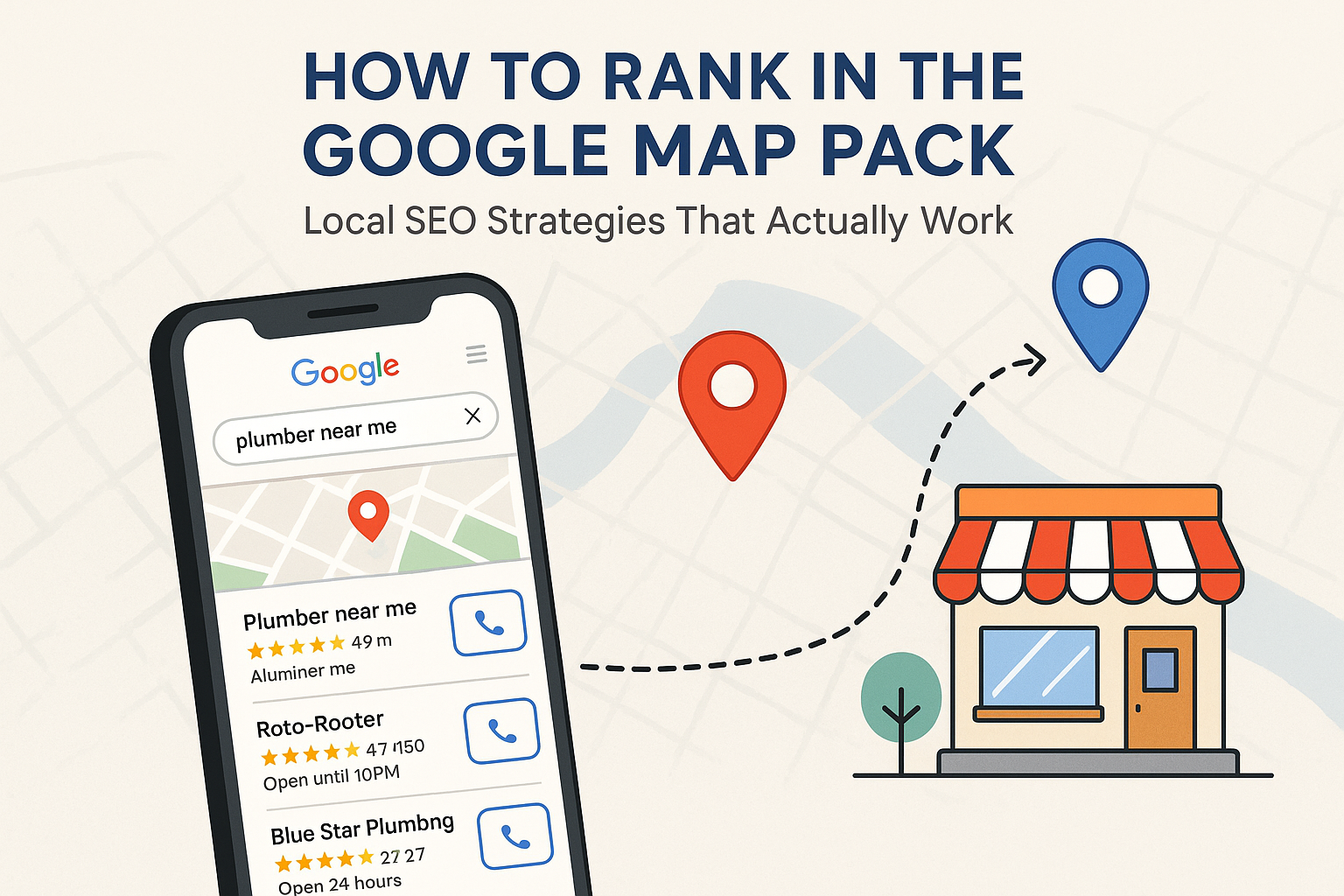
If you’ve ever searched for a local service—like “plumber near me” or “coffee shop in Austin“—you’ve seen the Map Pack. That little box at the top of Google results, showing three local businesses on a map with quick info like reviews, hours, and links—it’s prime digital real estate. Landing a spot in the Map Pack can lead to more calls, more visits, and more local customers. But getting there? That’s the tricky part. At EVpro Marketing, we specialize in helping local service providers rank exactly where they need to be: in front of high-intent local customers. Let’s walk through what signals actually matter when it comes to climbing into that coveted Map Pack—and how your business can start taking advantage of them. What Is the Google Map Pack? Before we talk strategy, it helps to understand what you’re aiming for. The Google Map Pack, also called the “Local 3-Pack,” is a section of Google’s search results showing the top three local business listings for a relevant query. For example: “Electrician in Austin” “Dog groomer near me” “HVAC repair open late” These results come from Google’s local algorithm, which is slightly different from its traditional organic search algorithm. Google pulls this data from Google Business Profiles (formerly Google My Business), tied to verified local locations. Why the Map Pack Matters Appearing in the Map Pack means: Your business shows before regular search results Visibility in mobile-first and local-intent searches Higher click-through rates and call volumes Increased trust and credibility from search users Which brings us to the real question… What Signals Help You Rank in the Map Pack? Google uses a mix of signals to decide which businesses appear in the Map Pack. Let’s break them down into the most influential ones using plain English. 1. Google Business Profile Optimization Think of your Google Business Profile (GBP) as your storefront in the digital world. Having an incomplete or inaccurate profile is like leaving your lights off and doors locked during business hours. Key actions to take: Verify your business using the postcard or video method Ensure your business name, address, and phone number (NAP) are correct Choose the most relevant primary business category Add high-quality images, services, and business hours Enable messaging and appointment booking (if applicable) 2. Proximity to the Searcher While you can’t directly control this, proximity is a huge factor. When someone searches “plumber near me,” Google prioritizes businesses that are physically close to the person searching. This means having a verified address that’s actually within your service area matters a lot. Tips: Ensure your address is precise and consistent everywhere Use service area settings correctly if you visit clients instead of having walk-ins 3. Consistent NAP Across the Web Your NAP (Name, Address, Phone number) needs to be the same across your website, directories, and citations. Inconsistent info confuses Google and makes it harder for you to rank locally. Places to check and update: Your business website Yelp Facebook Better Business Bureau Local chambers of commerce and niche directories A NAP inconsistency audit can catch errors holding you back. 4. Quantity and Quality of Reviews Your online reviews, especially on Google, serve a dual purpose: They act as social proof that you’re trustworthy They are a direct ranking signal for local SEO Strong signals include: Average rating (aim for 4.0+ stars) Volume of reviews Frequency of new reviews Use of keywords in review text (e.g., “Great Austin electrician”) To improve: Ask every customer for a review—timing matters! Reply to all reviews (yes, even the bad ones) Use reminder cards or follow-up emails to nudge reviewers 5. Localized Website Content Your website doesn’t just back up your business—it supports it in local search. Google looks at your website to confirm: What services you offer Where you offer them Whether you’re relevant to the search Best practices: Use location-specific landing pages (e.g., “AC Repair in South Austin”) Include schema markup (structured data) for local businesses Add geo-tagged photos when possible Embed a Google Map on your contact page 6. Local Citations and Online Business Directories A local citation is any online mention of your business name, address, and phone number. These act as trust signals for the Map Pack. They’re also a way to drive backlinks and build authority. High-quality citation sources: National Directories Local/Niche Directories Yelp Chamber of Commerce BBB Austin360 Business List Angie’s List Niche-specific pages Apple Maps Local publications Use a citation management service or audit tool to clean up and optimize. 7. Behavioral Signals Here’s where it gets interesting. Google doesn’t just look at your info template—it watches how people interact with your listing. Key behavioral signals: Click-through rate from search Calls and requests for directions Time spent on Google Business Profile Engagement (reviews, Q&A, photos) You can encourage behavioral signals by regularly updating your GBP and embedding reviews and images thoughtfully. 8. Backlinks from Local and Niche Sources Backlinks are links from other websites pointing to yours. For local businesses, links from authoritative local sites are gold. Sources of solid local backlinks: Sponsorships (e.g., local sports teams or events) Local newspapers and media mentions Industry-specific blogs Community partnerships A few high-authority local links can outperform hundreds of low-rent backlinks. 9. Use of Keyword-Relevant Content and Categories Choosing the right primary category in your Google Business Profile is crucial. Google uses this to determine what kind of searches to show your business for. Examples: “Plumber” vs. “Drainage Service” “HVAC Contractor” vs. “Mechanical Engineer” And on your website, you should naturally include the kinds of keywords your customers use: “Emergency electrician in Austin” “Affordable landscaping service South Austin” “Weekend pest control service” Avoid keyword stuffing, but don’t shy away from being specific. Bonus: Factors That Don’t Matter (As Much as People Think) There’s a lot of misinformation out there. Here are a few things that don’t significantly impact your Map Pack ranking: Paid ads: Google Ads don’t directly influence organic Map Pack rankings Posting non-stop: GBP posts are great for engagement, but not a core ranking
How to Prepare for Google’s Advanced Verification Process
If your business relies on Google to show up in local searches—especially for services like locksmiths, garage door repair, HVAC, plumbing, or other high-trust industries—you may have encountered something called Google’s Advanced Verification Process. And let’s be real—it can be confusing, annoying, and slightly terrifying. Why is Google asking for business documents, video verifications, or even background checks? Is this a scam? Is your Google Business Profile at risk? You’re not alone in wondering. At EVpro Marketing, we’ve helped many local service providers through this very process. In this guide, we’ll break it all down into plain-English steps, so you can know exactly what to expect and how to get it done right the first time. Let’s dig in. What Is Google’s Advanced Verification? Advanced Verification is Google’s way of checking that certain local businesses are real, legitimate, and operating within legal and ethical standards. It primarily applies to industries that have historically been vulnerable to fraud or abuse. If your business falls within these categories, Google may flag it for a deeper verification before letting you run ads or update your profile. Industries Commonly Affected If you’re in a service industry where trust is everything, chances are your business may be flagged for Advanced Verification. Google pays special attention to industries that have seen higher rates of fraud or misrepresentation in the past. That’s why certain types of businesses—especially those that enter people’s homes—are more likely to be required to complete this process. Locksmiths Garage door repair HVAC services Plumbing Electricians Other “home services” in select areas, especially high-population metro zones like Austin, Los Angeles, or Phoenix Important: This is not the same as the standard Google Business Profile verification (like a postcard or phone call). This is a stricter process, especially if you want to run Google Local Service Ads or certain Google Ads campaigns. Why Does Google Use Advanced Verification? Google wants to protect users from scams and ensure that businesses listed on its platform are who they say they are. This protects Google’s credibility—and more importantly, it protects your potential customers from being misled by fake or shady businesses that buy fake reviews or misrepresent their services. How Do You Know If You’re Required to Complete Advanced Verification? Google will typically notify you directly if you need to go through the process. This can happen when: You try to set up a Local Services Ads account. You attempt to advertise with Google Ads in a restricted category. You update or create a Google Business Profile in a high-risk industry or location. If you’re not sure, you can always try to set up ads, and Google will alert you if you’re required to start the advanced verification. Step-by-Step Guide to Preparing for Google’s Advanced Verification Let’s walk through the major components so you’ll be ready (and confident) to pass the first time. 1. Understand What Google Will Ask For The process can vary slightly based on your industry and location, but in general, here’s what you’ll need: Legal Information Business license, registrations, or permits (if applicable) Proof of physical address (utility bill, lease, etc.) Personal IDs of business owners or managers Video Verification A live or pre-recorded walkthrough of your business location, vehicles, tools/equipment, and signage Background Checks (for some service industries) Authorized representatives may need to undergo a background check through Google’s verification partner, typically Pinkerton or Evident Website and Online Presence Review Google may cross-check addresses, phone numbers, and branding across your website and external platforms 2. Gather Your Documentation Before Starting Trying to scramble for this mid-process is stressful. Instead, here’s what to have on hand: Item Description Business License Make sure the name matches your Business Profile Utility Bill or Lease Shows your name and business address Driver’s License or Government ID For you and other owners if requested Photos of Workspace/Signage Indoor and outdoor shots are helpful Service Van/Truck Photos Especially important for mobile businesses 3. Schedule Time to Film the Video Walkthrough Google takes the video part seriously. If required, you’ll either: Join a real-time video call with a reviewer, or Be asked to submit a pre-recorded video showing your place of business Tips for a Successful Video Walkthrough: The video walkthrough is your chance to prove your business is real, professional, and operating as advertised. Google uses it to validate everything from your signage to your tools and workspace. Treat it like a quick virtual audit—make sure you’re showing the kind of environment that builds trust with both Google and your customers. Clean and organize your workspace beforehand Make sure signage is visible and clearly matches your business name Show your address or suite number if applicable Walk through tools, uniforms, marketing materials, and any branded items If you work from home, designate a professional-looking workspace 4. Prepare Your Team for Background Checks In some industries—especially locksmiths and garage door repair—Google may request background checks for business owners and field employees. This step can be a headache if you’re not ready. Make sure: You notify your team in advance Everyone has updated identification You’re being transparent about the process Note: Not every business will need background checks, but if Google asks for them—don’t ignore it. It’s mandatory to proceed. 5. Double-Check Online Consistency Google will often compare your submitted information with what’s publicly visible online. Run through this quick checklist: Does your website match your Google Business Profile (name, address, phone)? Are your social media profiles up to date? Do your photos and branding look legitimate? Are there suspicious duplicate listings of your business online? If anything looks off, clean it up before submitting. Common Pitfalls to Avoid Many businesses fail Advanced Verification the first time due to very fixable mistakes. Don’t be one of them. Here’s what to watch out for: Many businesses stumble on simple, avoidable issues during Advanced Verification. Before you submit anything, take a moment to double-check the most common red flags. These missteps can delay your approval or even get your profile suspended—so it’s worth addressing
What to Do if Your Business Isn’t Showing Up on Google Maps
If you’re a local business owner and your company isn’t appearing on Google Maps, it can feel like you’re invisible to potential customers. Not showing up means missed foot traffic, fewer website clicks, and lost phone calls. The good news? You’re not stuck. At EVpro Marketing, we help local businesses just like yours show up and stand out where it matters most—online and on the map. In this post, we’ll walk you through the common reasons your business isn’t showing up on Google Maps and what you can do about it. Why Google Maps Visibility Matters Think about the last time you searched for a local service—like “electrician near me” or “coffee shop in Austin.” Chances are, you relied on Google Maps results to make your pick. If your business isn’t there, you’re out of the running. Google Maps is the digital directory for local discovery. Increased visibility means more local customers. Trust-building stars and reviews come from your Maps listing. Direction requests and mobile searches often start with Maps. If your business isn’t showing up, you’re missing the chance to be discovered—plain and simple. Common Reasons Your Business Isn’t Showing Up on Google Maps Let’s start with the root of the issue. Here are the most common problems that keep listings off the map and how to diagnose them. 1. You Haven’t Claimed Your Google Business Profile Your Google Business Profile (formerly Google My Business) is the foundation of your Maps presence. How to check: Search your business name on Google. If you see a listing with the option to “Claim this business,” it hasn’t been claimed. Fix: Visit google.com/business and follow the prompts to claim or set up your business profile. 2. Your Listing Isn’t Verified Claiming is the first step, but Google won’t show your business widely until it’s verified. You might be waiting on: A postcard verification A phone or email confirmation Tip: Without verification, your profile’s visibility will be extremely limited. 3. Your Location or Service Area Isn’t Set Properly Google needs to know where you serve customers—especially if they visit you in person. Things to double-check: Physical address: Should be accurate and consistent with your website and other platforms. Service area: If you’re mobile or work on-location (like a plumber or landscaping company), set this clearly. 4. You’ve Violated Google’s Guidelines Google has strict rules for business listings. If you violate them, your listing could get suspended or hidden. Common violations include: Keyword stuffing your business name (e.g., “Joe’s Plumbing Best Austin Plumbers 24/7”) Using a P.O. Box or virtual address Having multiple listings for the same business Refer to Google’s business guidelines to stay compliant. 5. You’re Competing in a Densely Populated Area If you’re in a big city like Austin, competition is tough. Your business might technically “exist” on the map, but show up low in the rankings—or only if someone zooms way in. This is where SEO for Maps comes in, and we’ll dig into that below. How to Get Your Business to Show Up on Google Maps Now that you know the roadblocks, here’s how to fix them. 1.Claim and Verify Your Google Business Profile If you haven’t done this yet, this is the single most important step. To claim your profile: Go to Google Business Profile Manager. Search for your business name. Claim the listing or create a new one. Follow verification instructions (often via mail or phone). 2. Ensure Your NAP Information Is Accurate and Consistent NAP stands for Name, Address, and Phone Number. Inconsistencies across platforms (your website, Yelp, Facebook, etc.) confuse Google and hurt your chances of ranking. Checklist: Same business name spelling everywhere Identical address formatting Same phone number Tip: Use a tool like Moz Local to audit and fix your NAP listings. 3. Optimize Your Google Business Profile Once your profile exists and is verified, optimize it like a pro. Things to optimize: Business category: Make sure you’ve chosen the most accurate primary category. Photos: Add high-quality images of your business, products, or services. Business hours: Keep them accurate—update seasonal or holiday hours. Services & description: Fill out every field you can. Be detailed but natural. Website link: Connect your profile to your actual business site. 4. Add Real Reviews—and Respond to Them Google loves businesses that people talk about. How to build reviews: Follow up with happy clients. Ask via email or text (with a link). Make the process quick and easy. Always respond—whether the review is good or bad. 5. Publish Regular Posts on Google Business Yes, Google lets you post updates, promotions, news, and more—right on your profile. Why this matters: Shows Google you’re active Gives customers more reasons to engage Keeps your profile fresh You can post: Promotions Event announcements Service updates Helpful tips Post weekly or biweekly for best results. Going Beyond the Basics: Local SEO Strategies Once your business is on the map, how do you get it to rank higher? The truth is, showing up on Maps is just the beginning. Ranking well takes strategy. 1. Build Local Citations Local citations are mentions of your business across the web—on directories, social platforms, and review sites. Top sites for citations: Directory Notes Yelp Great for reviews YellowPages Legacy directory Bing Places Good for Microsoft users Facebook Social proof + discovery Nextdoor Community-based recommendations Make sure your name, address, and phone number are consistent across all platforms. 2. Embed a Google Map on Your Website Add a map to your site’s contact or about page. This helps Google associate your site with that location. Also, make sure your location appears in your schema markup (ask your web person if you’re not sure). 3. Build Backlinks from Local Sources Backlinks from local news sites, bloggers, or partner businesses can boost your credibility in Google’s eyes. Ideas: Sponsor a local event Join your chamber of commerce Collaborate with other businesses for content or cross-promotion 4. Use Local Keywords on Your Website If you serve Austin, your site should say it—organically.
Building Local Authority Through Citations and Directory Listings

Search engines use many signals to determine a business’s local relevance and credibility. One of the most consistent signals is structured business citations and directory listings. These references help Google and other platforms verify that your business exists, is active, and serves a specific area. What Are Citations and Why They Matter Citations are online mentions of your business’s name, address, and phone number (NAP). These can appear on directories, review sites, and local platforms. Search engines use citations to cross-check the accuracy and consistency of your business data. How Citations Help SEO Citations play a crucial role in enhancing your local search engine optimization by providing clear and consistent information about your business. When search engines find your business details reliably listed across various platforms, they view your company as more trustworthy and relevant. This increased trust helps improve your rankings, making it easier for potential customers in your area to find you. Citations increase your business’s visibility in local search results. Consistent NAP data builds trust with search engines. Multiple listings across the web strengthen local ranking signals. Citations provide backlinks that contribute to authority. Accurate listings reduce confusion for customers and platforms. Understanding Structured vs. Unstructured Citations Structured citations appear in business directories and listing websites. They follow a fixed format. Unstructured citations occur in blog posts, news articles, or social content. Both types help build authority but structured citations are easier to control. Examples of Structured and Unstructured Citations Citations come in two main forms: structured and unstructured. Structured citations follow a consistent format and typically appear on dedicated business directories, making them easier to manage and verify. Unstructured citations, on the other hand, appear more organically within content like blogs, news articles, or social media posts. Both types play a valuable role in enhancing your business’s credibility and local relevance online. Structured: Yelp, Google Business Profile, Yellow Pages. Unstructured: Blog reviews, news mentions, social media comments. Structured listings often have NAP fields and categories. Unstructured mentions include business names within larger content. Both support your business credibility and location relevance. Local Directory Listings Build Trust Search engines look for consistency across directories. If your information is mismatched or incomplete, it creates uncertainty. Directory listings help standardize your digital presence. Key Benefits of Directory Listings Directory listings offer several advantages that go beyond simply displaying your business information. They help verify your physical location, boost your visibility on map-based searches, and create valuable backlinks to your website. Additionally, these listings often allow customers to leave reviews, increasing trust and engagement, while also driving traffic from multiple sources beyond traditional search engines. Help confirm your business’s physical location. Improve your presence in map results. Provide backlinks to your site. Enable customer reviews across platforms. Serve as traffic sources beyond search engines. Important Directories for Local Businesses Not all directories are equal. Some have more weight based on industry and location. Choose directories that are trusted and active in your local area or sector. Core Directories to Consider Choosing the right directories to list your business on is essential for maximizing local SEO impact. Focus on reputable and widely used platforms that are relevant to your industry and location. These core directories not only help establish your business’s legitimacy but also improve your chances of appearing in local search results and map packs. Google Business Profile Bing Places Yelp Facebook Business Pages Better Business Bureau Apple Maps Yellow Pages Chamber of Commerce listings Niche directories like Avvo, Healthgrades, or Angi Consistency is Critical for Citations Google wants to see the same NAP data across every citation. Inconsistencies hurt your credibility. Even small errors like abbreviations or suite numbers can cause issues. How to Maintain Citation Accuracy Maintaining consistent and accurate citation information is vital to ensure search engines and customers can easily find and trust your business. Regularly reviewing and updating your business details across all platforms helps prevent discrepancies that can harm your local SEO performance. Taking proactive steps to manage your citations keeps your online presence reliable and effective. Use the same NAP format everywhere. Update listings when your business changes location or phone number. Keep your website NAP aligned with directories. Audit citations quarterly for errors. Claim and manage all major directory profiles. How Citations Support Map Pack Rankings To appear in the Local Map Pack, your business must prove relevance and trust. Citations are one of the main trust signals Google uses for local rankings. Citation Signals That Influence the Map Pack Several key citation factors impact your business’s chances of appearing in Google’s Local Map Pack. Consistency and volume of listings across trusted platforms help build authority, while the physical proximity of your business to the searcher affects relevance. Additionally, the quality and relevance of the directories, how recently your citations have been updated, and alignment between your listings and website data all contribute to improving your local search rankings. Volume of consistent listings across platforms. Proximity of your listed address to the searcher. Relevance of the directory or listing site. Recency of citation activity and updates. Alignment between citation and website data. Tools to Help Manage Citations Manually managing citations can be time-consuming. There are tools that allow businesses to track, update, and sync listings from one dashboard. Citation Management Tools Managing citations manually can be time-consuming and prone to errors. Fortunately, there are specialized tools designed to help businesses track, update, and synchronize their listings efficiently from a single dashboard. These platforms simplify citation management, ensuring your business information stays consistent and up to date across the web. BrightLocal Yext Whitespark Moz Local Semrush Listing Management Google Business Profile Manager The Role of Reviews on Directory Listings Many directories allow customer reviews. These reviews increase listing strength and build user trust. Google also considers review quantity and quality in local rankings. Why Reviews Matter on Listings Customer reviews play a vital role in strengthening your business listings by boosting credibility and trust. They provide valuable signals to search engines about
How Customer Reviews Impact Your Local Search Visibility

Customer reviews play a large role in how local businesses appear in search results. Search engines like Google use review signals to rank local listings. Businesses with consistent and relevant reviews tend to gain higher visibility. Why Reviews Matter for Local SEO Search engines assess trust and relevance when showing results. Reviews signal that your business is active and meeting customer expectations. A steady stream of feedback improves your authority online. Key Benefits of Reviews for Local SEO Reviews are more than just feedback — they’re a signal to search engines that your business is active, trustworthy, and relevant to local users. When customers leave reviews, they help build your online footprint in a way that directly supports your visibility in local search results. Here are some of the key ways reviews contribute to better local SEO: Reviews help validate your business to search engines. Search engines favor businesses with recent and frequent reviews. Positive reviews can improve click-through rates on search results. Responses to reviews show activity and customer care. Reviews offer keyword-rich content that can support rankings. How Google Uses Review Signals Google’s local algorithm uses several factors to rank businesses. Reviews are one of the core components of that system. A business with more reviews often performs better in local results. Google’s Review Ranking Factors Google doesn’t just look at whether your business has reviews — it evaluates the quality, quantity, and distribution of those reviews across the web. These factors help determine how prominently your business appears in local search results. Below are the core review signals Google considers when ranking local listings: Volume of reviews across Google and third-party platforms. Recency and frequency of customer reviews. Diversity of reviews across platforms like Yelp and Facebook. Review ratings, including both quantity and score. Keywords and phrases mentioned in reviews. How Reviews Influence the Local Map Pack The Local Map Pack displays three business listings related to a user’s search. Reviews help determine which businesses appear in this section. Higher-rated businesses are more likely to show up. Review Factors That Affect the Map Pack Appearing in the Local Map Pack can significantly increase your business’s visibility, but getting there requires more than just having reviews. Google prioritizes businesses that not only collect reviews but also have strong local signals within them. Here are the key review factors that influence whether your business shows up in the Map Pack: High average rating compared to local competitors. A strong number of reviews with local relevance. Mentions of services or products tied to the user’s search. Geographical keywords in reviews help improve local ranking. Review responses that include relevant terms and location info. Platforms That Matter for Local Review Signals Google is the top platform, but others also count. Multiple review sites contribute to a business’s reputation and can drive visibility through links and authority. Relevant Platforms for Reviews While Google remains the most important platform for local SEO, it’s not the only one that matters. Search engines take into account reviews from a variety of trusted sources to assess your business’s credibility and reach. Being active across multiple platforms helps strengthen your overall online presence. Here are some of the top review platforms that influence local rankings: Google Business Profile Yelp Facebook TripAdvisor (for hospitality) Better Business Bureau Niche-specific directories like Angi or Houzz How to Encourage Customer Reviews Businesses need to ask for reviews without violating platform guidelines. It’s best to create a process that fits into the customer journey and is easy to complete. Ways to Gather More Reviews Getting more customer reviews doesn’t have to be complicated — it just needs to be consistent. The key is to make the process easy and natural for your customers. By integrating review requests into your regular workflow, you increase the chances of receiving valuable feedback. Here are some effective ways to encourage more reviews: Ask customers to leave a review after service. Send a follow-up email with a review link. Use printed materials like QR codes on receipts. Train staff to ask for reviews during checkout. Place review request links on your website. Responding to Reviews Matters Too Google favors businesses that engage with customer feedback. Responses show you value reviews and help build trust with future customers. Best Practices for Review Responses Responding to reviews is just as important as collecting them. It shows both Google and potential customers that your business is active, attentive, and values feedback. Thoughtful responses can reinforce trust, boost credibility, and even support your SEO. Follow these best practices when replying to reviews: Thank the reviewer by name if possible. Acknowledge their experience clearly. Include keywords when relevant but keep responses natural. Respond to negative reviews calmly and offer a solution. Be consistent in tone and timing of responses. Reviews Support Conversion and Trust Besides helping with rankings, reviews influence buyer behavior. Many customers read reviews before making a decision. Strong reviews help close the deal. How Reviews Affect Buyer Decisions Reviews don’t just influence rankings — they directly impact how potential customers perceive your business. Before reaching out, most people look at what others have experienced. Strong, authentic reviews can be the deciding factor between a customer choosing you or moving on to a competitor. Here’s how reviews shape buyer behavior: Customers trust peer feedback more than brand messaging. High star ratings increase the chance of a call or visit. Detailed reviews help answer buyer questions. Social proof makes new customers more comfortable. Trust increases when they see a mix of recent feedback. Managing Review Reputation Business owners must monitor their reviews across all platforms. It’s important to keep information accurate and respond to feedback quickly. A proactive review strategy prevents long-term issues. Tools to Help Monitor Reviews Keeping track of your reviews across multiple platforms can be challenging, but it’s essential for maintaining a positive online reputation. Using the right tools makes monitoring easier and ensures you never miss important feedback. Here are some useful tools to help you